 Phoenix UI
World of Warcraft · Midnight · 12.1.5
Phoenix UI 2.0The default UI,
made consistent
A flat, consistent look for Blizzard's own interface. Phoenix builds on the default frames instead of replacing them: Edit Mode keeps the layout, and Phoenix adds one style and small comforts on top.
- Every module can be switched off
- Edit Mode keeps the layout
- Safe in restricted content
- Free · All Rights Reserved (source-visible)
Modules
24 modules, one style
Each module covers one part of the interface and has its own switch. Leave the defaults on, or open /pui and turn off whatever you would rather keep Blizzard's way.
System
The look of everything else, and a catcher for the errors every addon throws.
Phoenix Ember, Frost, Fel, Arcane, Class or your own accent. Fonts, bar texture, font scale and reduce motion.
Catches Lua errors, blocked actions and warnings from every addon, with a viewer to read, search and copy them.
Interface
Blizzard's own frames, restyled in place. Edit Mode still decides where everything goes.
Phoenix styling for the game menu, popups and the ready check.
Square buttons, readable hotkeys and macro names, an out-of-range tint.
Bar texture, class and power colors, and fonts for player, target, focus and pet.
Party and raid frame textures, fonts and borders.
Flat cast bars with icon, timer and latency on your own bar.
Cropped icons, crisp borders, readable timers and stacks.
Bar texture, a health percent that works in restricted content, visibility toggles.
Dark style, class and quality borders, health bar, target, role and IDs, cursor anchor.
Item levels on the character sheet and in your bags.
Square minimap, zone text style and coordinates.
FPS, latency, speed, durability, gold, clock and a bug count, movable in Edit Mode.
Move, scale and fade the frames Edit Mode cannot reach, like zone text, alerts and the boss banner.
Combat
Readable numbers and the meter you already have, without bundling other addons.
Blizzard's countdown numbers in the Phoenix font and color.
Every floating combat text option, gathered on one page.
A skin for Blizzard's built-in meter, plus an optional one-click Details! style.
A strip of your recent casts, movable in Edit Mode.
Safe queue pop with a timer, TAB targets players in PvP, /gg to surrender an arena.
Social
Small comforts for talking and for stepping away.
Clickable links with a copy box and a copy-chat window.
A calm full-screen view of your character while you are away.
Utility
The chores, done for you, each behind its own switch.
Hide talking heads, quiet errors in combat, achievement screenshots, a Cooldown Manager toggle.
Repair, sell junk, fill “DELETE”, decline duels, accept resurrections, skip cinematics you have seen.
Inserts your keystone and reports your new key.
Themes
One accent drives every icon, border and highlight. Pick a preset or your own color.
The settings window
Every option, one window
A sidebar by category, instant search across every option, and changes that apply as you make them. Reload and out-of-combat badges tell you when a setting needs either.
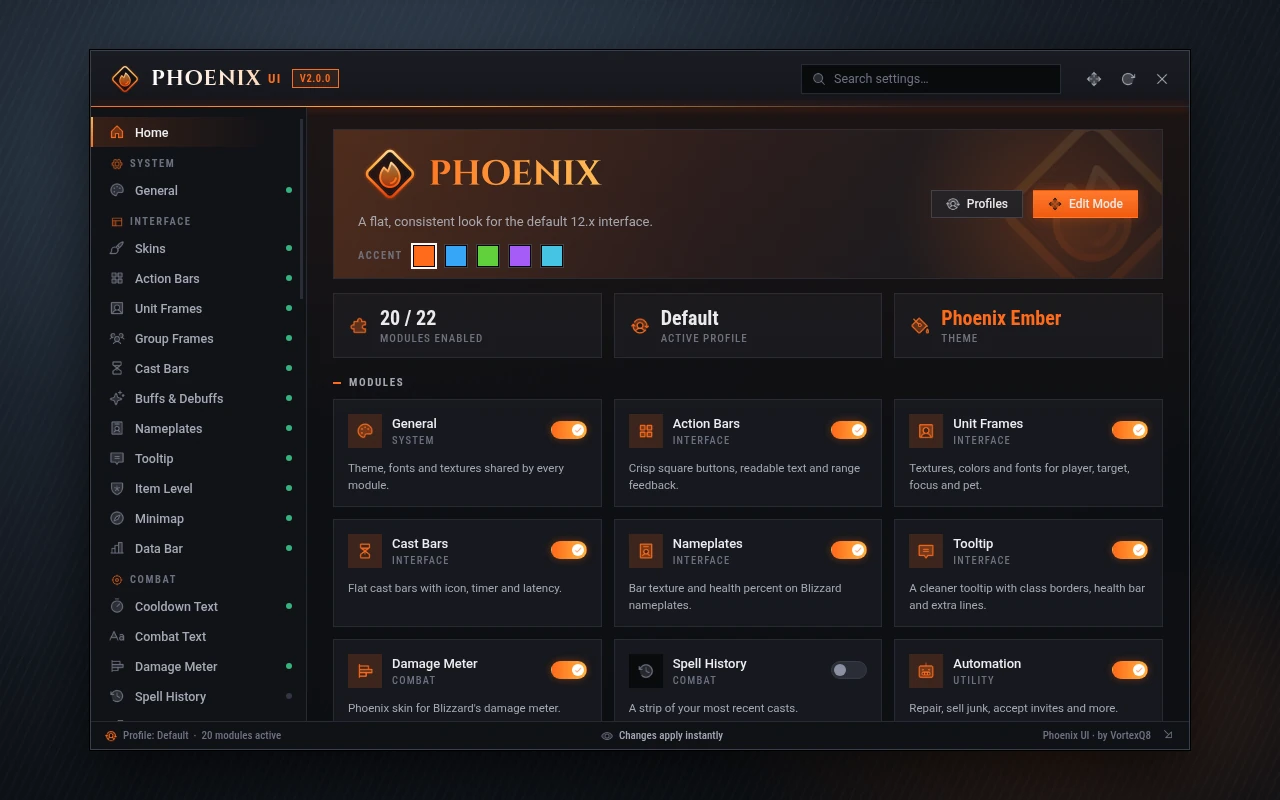
Design mockups of the settings window, drawn with the same icons the addon ships.
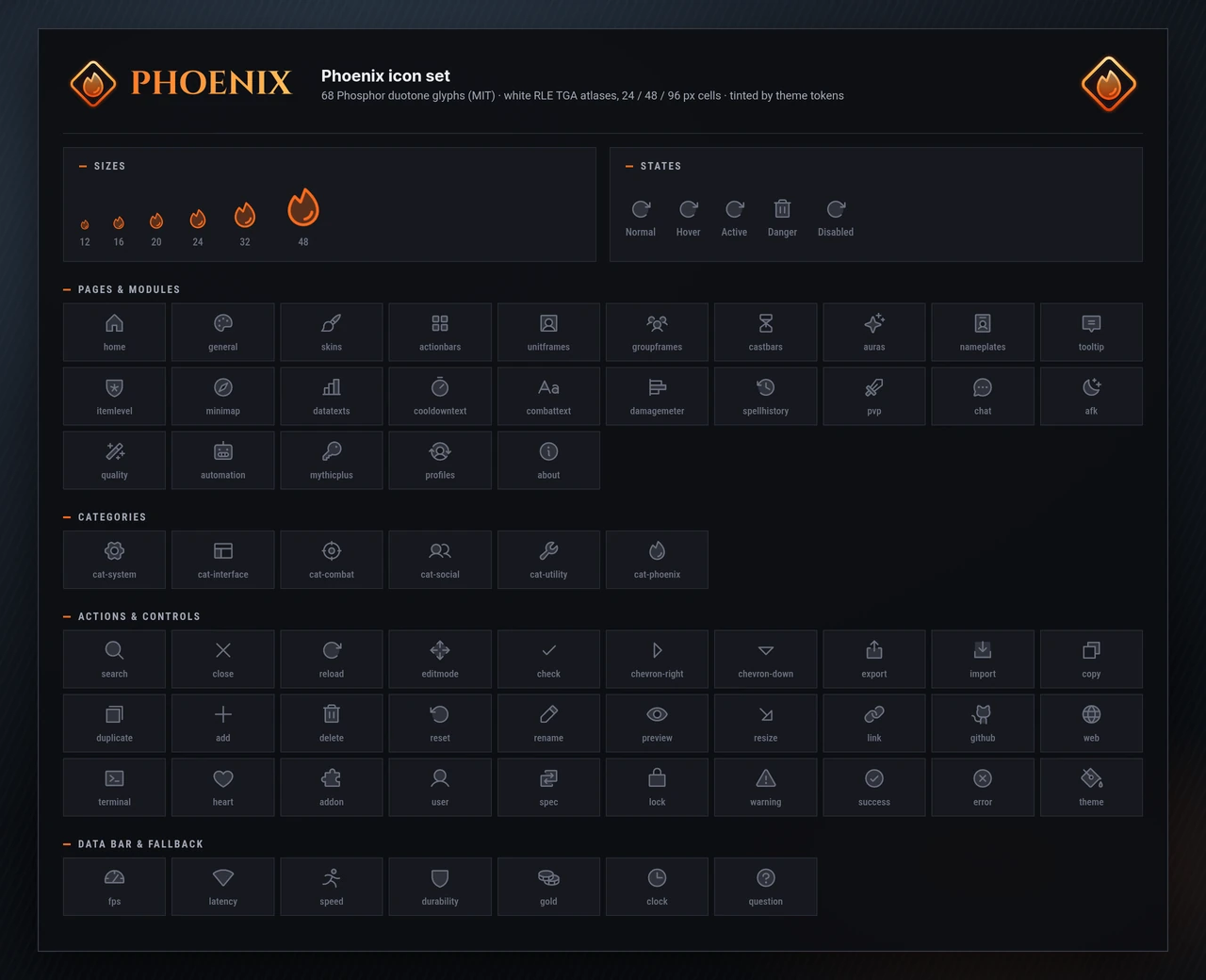
Icons
One icon set everywhere
The sidebar, buttons, toggles, popups, the data bar and the PvP queue timer all use one duotone set. Icons follow the accent color and pick the size that matches your screen, so they stay sharp from 1080p to 4K.
Icons: Phosphor (MIT).
Midnight 12.1.5
Built for what 12.x allows
Midnight changed what addons may do: no combat log, and many combat values hidden in restricted content. Phoenix UI 2.0 was rebuilt for those rules instead of working around them.
Built on Interface 120105
Every API, event, setting and template the addon touches is checked against the 12.1.5 client before a release.
Secret values handled
Health, auras and other combat values can be hidden from addons in restricted content. Phoenix shows what the game allows and keeps working when a value is secret.
No combat log needed
Addons can no longer read the combat log in 12.x. Nothing in Phoenix depends on it.
Edit Mode owns the layout
Phoenix restyles secure frames but never moves or rebuilds them, which keeps it light and out of the way of taint.
| Old feature | In 2.0 |
|---|---|
| Frame mover (MoveAny) | Blizzard Edit Mode (/pui edit), plus Phoenix Movers for the frames it cannot reach |
| Scrolling combat text | The Combat Text page, or the maintained MikScrollingBattleText |
| Group finder filters | The maintained Premade Groups Filter |
| Buff overlays on raid frames | Blizzard's raid frame aura settings (aura data is secret in restricted content) |
| Cooldown tracker | Blizzard's Cooldown Manager, switched from the Quality of Life page |
| Details! skin | The Damage Meter page: Blizzard's meter skin and a one-click Details! style |
Install
Ready in three steps
- 01
Download
Get the latest release from GitHub.
- 02
Extract
Put the
Phoenix_UIfolder inWorld of Warcraft/_retail_/Interface/AddOns/. - 03
Open /pui
Log in and type
/pui, or use the Addon Compartment by the minimap.
Optional · Windows
Phoenix Uploader
Addons cannot reach the internet, so the Bugs module saves the errors it catches to your PC when you log out or /reload. The Phoenix Uploader reads that file and sends new reports here, so they can be fixed, including errors from other addons.
- Finds your World of Warcraft folder on its own
- Runs quietly in the tray, or once and exits
- Sends each report once, and again only if it happened more often
- No character names, realms, account names or chat: they are stripped before a report is saved
- Send error reports to the author is on by default; switch it off on the Bugs page and the uploader skips you
Single file, no installer. Windows may ask you to confirm the first run of a new download.
/pui | Open or close the settings window (also /phoenix) |
/pui edit | Open Edit Mode |
/pui bugs | Open the bug viewer |
/pui bugs share on|off | Allow or stop sending your error reports to the author |
/pui movers | Unlock or lock the movers |
/pui profile <name> | Show or switch the profile |
/pui <module> | Jump to a module, for example /pui tooltip |
/gg | Surrender an arena match (asks first) |
Changelog
What is new in 2.0
A ground-up rewrite for the 12.x interface. The highlights:
- A standalone settings window with instant search across every option, live changes and a remembered size
- Phoenix Ember theme with Frost, Fel, Arcane, Class and Custom accents, curated fonts and a reduce-motion option
- Profiles with per-specialization switching and share strings that preview before anything changes
- Damage Meter skin, Combat Text page, Spell History strip and a nameplate health percent for restricted content
- A bug catcher with its own viewer, and the optional Phoenix Uploader for Windows
- One icon set everywhere, sharp from 1080p to 4K, and a new high-resolution emblem
- Layout belongs to Edit Mode: the data bar and spell history are Edit Mode frames with per-layout positions
- Every module was rewritten on top of Blizzard's 12.x frames and handles secret values
- /gg now asks for confirmation through Blizzard's own dialog
- Bundled copies of other addons. Use the maintained originals or the Blizzard features that replace them
- Combat-log features, which addons can no longer use in 12.x
Questions
Before you ask
Does Phoenix UI replace my unit frames or action bars?
No. It restyles Blizzard's own frames and leaves them where Edit Mode puts them. Turn a module off and the default look comes back. Modules that hook Blizzard frames ask for a reload when you switch them off.
Is it ready for Midnight 12.1.5?
Yes. 2.0 is built for Interface 120105 (WoW 12.1.5) and handles the values Blizzard hides from addons in restricted content.
I used Phoenix UI on 11.x. What happens to my settings?
On first login 2.0 imports your old profiles once, where the setting still exists, and tells you in chat how many came across. Everything else starts from fresh defaults.
Where did the bundled addons go?
12.x changed what addons can do and Blizzard now ships many of those features itself. Phoenix 2.0 skins and configures the Blizzard versions and points you to the maintained originals for the rest.
What does the Phoenix Uploader send?
Only the error reports the Bugs module saved: the error text, the stack, the addon and game version, your client language and a random install id. Character names, realms, chat and account names are stripped before anything is saved. It sends nothing unless you run it, and you can quit it from the tray at any time. To keep your reports to yourself, turn off Send error reports to the author on the Bugs page or type /pui bugs share off.
Do I need the uploader?
No. The addon works the same without it. The uploader only gets the errors you hit in front of the developer, including errors from other addons that Phoenix catches.
Will it work with a full UI replacement?
Phoenix is made for the default interface. If you run a full UI replacement, switch off the Phoenix modules that style the same frames.

Rise from the default UI
Free, open source and made for Midnight 12.1.5.