Every feature, in detail
The complete list, written the way the app describes it. Pro features are marked, and the split matches the licence code exactly. Anything not built yet says so.
Safe Boost & Games
A boost is one transaction: applied together, journaled together, undone together.
Game library
FreeReads Steam's and Epic's own install records, plus any folder you add. No browsing for executables.
Boost & Play
FreeOne button launches the game and its boost. Each game can keep its own boost profile.
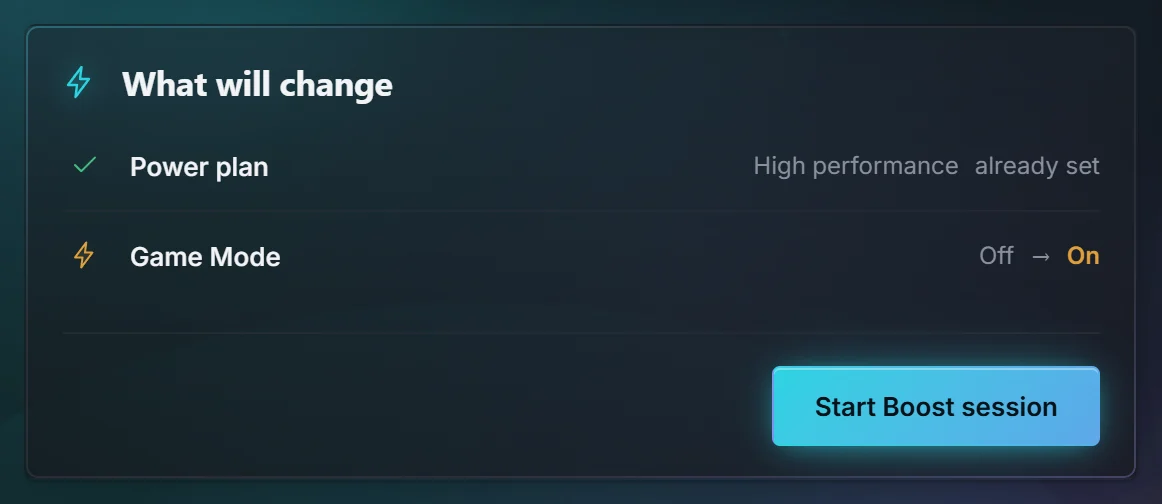
Power plan and Game Mode
FreeSwitched for the session and put back afterwards. The current values are recorded first.
Background app review
FreeLists what's running and closes only what you tick. Protected system processes are never offered.
Playtime
FreeCounted locally for every game, including ones no launcher tracks.
Graphics chip per game
FreePin a game to the high-performance or power-saving GPU, written where Windows keeps it so the Windows Graphics page shows it too. Laptops also get a hint when a game runs on the integrated chip.
Auto Safe Boost
ProStarts the boost when a game from your library starts, and ends it when the game closes.
Tuning Advisor
ProSuggestions for your settings based on your hardware, shown as suggestions you can take or leave.
Dashboard & Performance
What your PC is doing right now, and the settings that shape how games feel.
Health verdict
FreeRuns the read-only health check on first open and lists findings worst first, each with the reading behind it. The greeting is one line and names a game only while it is running. After the verdict, the next line is the one action worth taking.
PC diorama
FreeAn isometric view of this PC. While a check runs, the part being read lifts, the fan turns, and seven marks under the picture show the step. Reduced motion keeps the picture still.
Live readings
FreeCPU, memory, disk and network, plus Windows boot time compared with what's usual for this PC. Memory says what is in use and what Windows is holding ready. High pressure points at Safe Boost and freeing disk space, and the check does not empty that memory.
Every screen
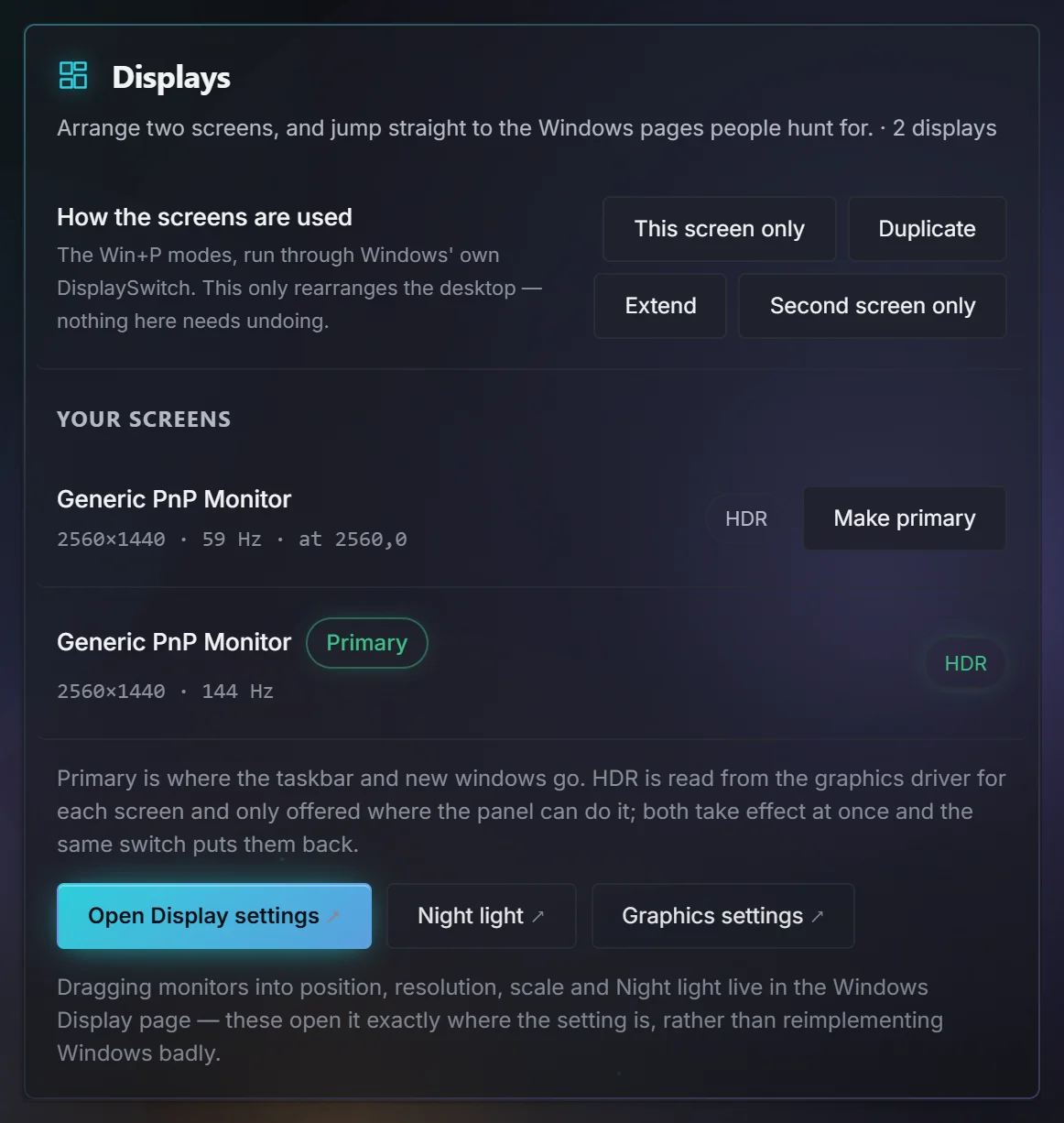
FreeOne tab per monitor: resolution, refresh rate, which screen is primary, and HDR. Where the monitor reports them, sharpness, saturation, red, green, blue, a colour preset and a picture mode. One brightness slider can cover every screen that has one. A refresh-rate change reverts unless you confirm, and a monitor change is journaled so Restore Center can put it back.
Stutter Doctor
FreePress Mark when you feel a hitch, and see what the CPU and memory were doing at that moment.
Graphics, page file and displays
FreeThe settings Windows scatters across several pages, gathered together, with live sensors where the hardware reports them.
In-game frame-time capture
Coming1% lows and frame-time distribution captured from the game itself.
Windows Toolkit
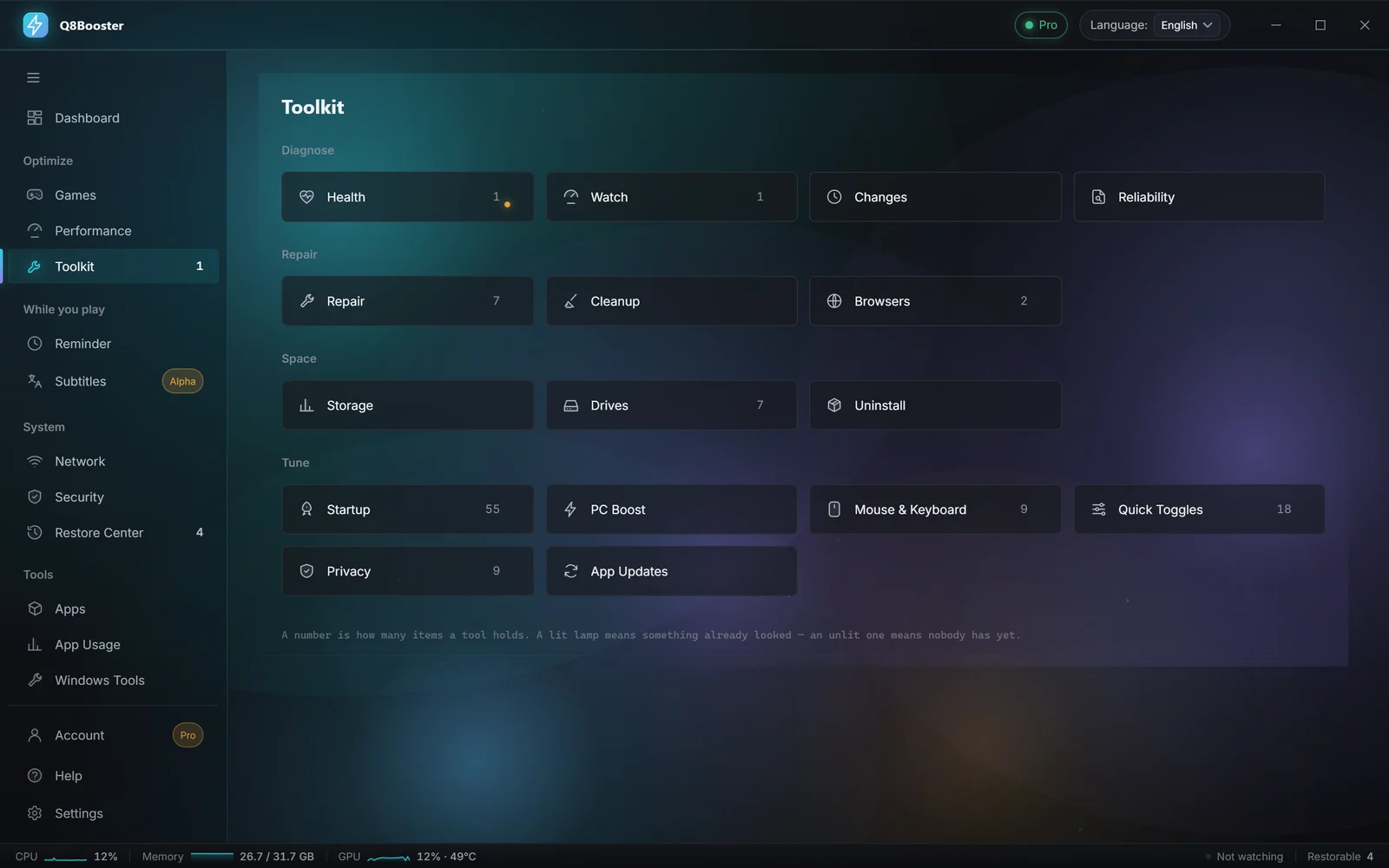
Eighteen sections. Every action previews its exact effect and is journaled before it runs.
Quick Toggles
Free18 reversible Windows settings: taskbar, Start, file extensions, dark mode, Game Bar and more. Plus the classic right-click menu.
Repair
FreeFlush DNS, restart Explorer, rebuild the icon cache, clear the print queue, run DISM and SFC, or restart into BIOS.
Cleanup
FreeScans without deleting, asks per category, and quarantines for 7 days so anything can come back.
Browsers
FreePer-profile cleanup for Chrome, Edge, Brave, Vivaldi, Opera and Firefox.
Health, Watch and Reliability
FreeThe health check on demand or on a timer you opt into, plus Windows' own reliability history in plain words.
Startup and PC Boost
FreeStartup apps toggled the same way Task Manager does it, and a quick clear-out that reports the space actually freed.
Privacy, Mouse & Keyboard
FreeNine privacy switches and nine input settings, each one reversible.
Storage and Drives
Free + ProWhere your space went and the largest files. Formatting is handed to Windows itself.
The duplicate finder is Pro
Uninstall
Free + ProRuns the vendor's uninstaller first, then finds what it left behind and backs up registry entries to a .reg file before removing them.
Leftover and registry clean-up is Pro
App Updates
Free + ProUpdates through winget, showing your version and the new one first. When winget cannot update an app, the same page can offer Chocolatey, Scoop, the Microsoft Store, or the publisher's page. Refuses while a game is running.
Scheduled updates are Pro
Restore Center
The reason the rest of the app is safe to use. Free in full, permanently.
Change journal
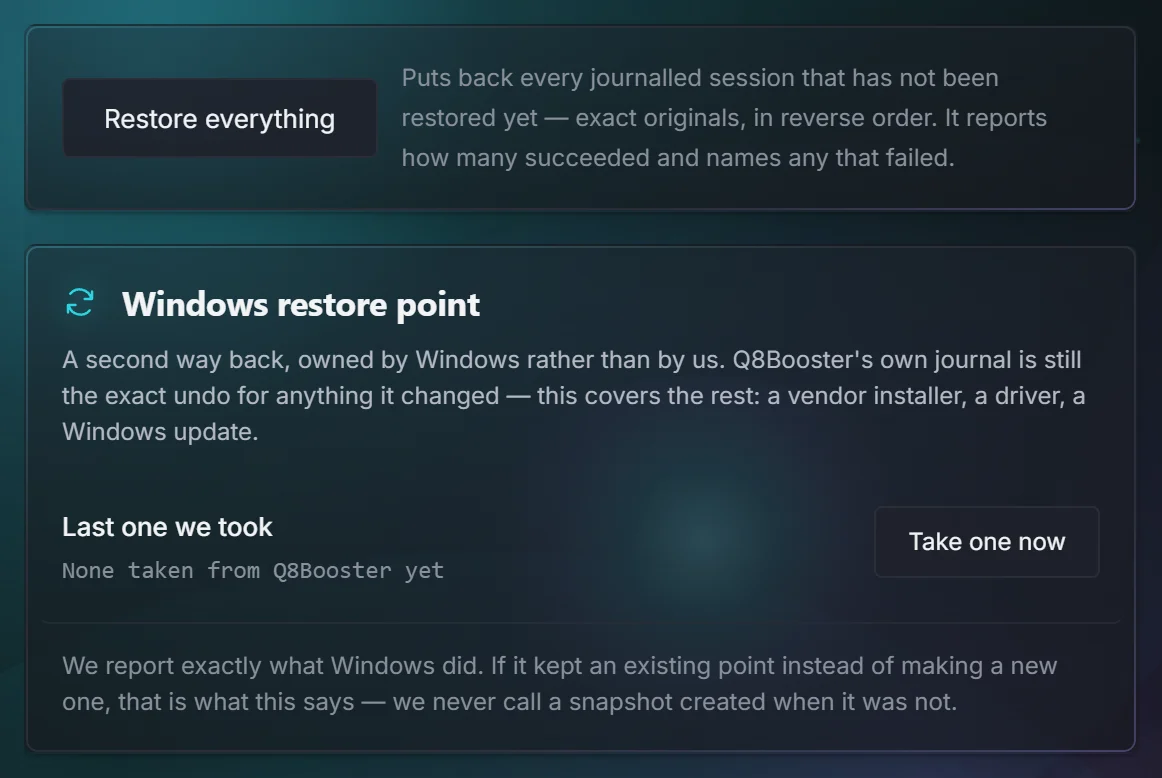
FreeEvery change the app has made, what it was before, and when.
Exact restore
FreePuts a value back to what it was, not to a default, including the difference between “empty” and “not present”.
Crash recovery
FreeAn interrupted change is found on the next launch and put back before anything else happens.
Quarantine and registry backups
FreeEverything Cleanup moved aside and every .reg backup, restorable one by one.
System restore points
FreeOffered before deeper changes, using Windows' own mechanism.
Network
Measurement, not a speedometer. Every figure is a real round trip made from your PC.
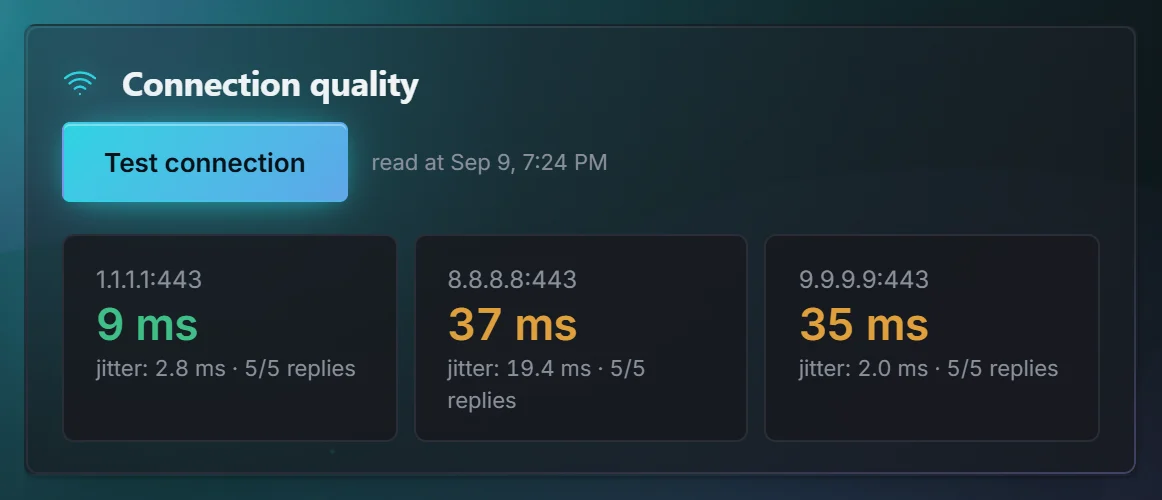
Connection quality
FreeLatency and jitter to public resolvers, with how many replies actually came back.
Where the delay starts
FreeSeparates your router from your ISP, so you know who to call.
Closest server region
FreeA real handshake to each of 9 regions, the answer to your game's server picker.
DNS Optimizer
FreeCompares 5 resolvers and switches with one reversible click. Includes an MTU tuner.
Adapter details
FreeIPv4, IPv6 with a verdict, DNS, MTU, VPN and wired-link checks, in plain language.
Loaded latency
ProWhat your ping does while the line is busy. The bufferbloat test that explains lag spikes a plain ping never shows.
Live speed monitor
ProSustained throughput over time instead of one burst number.
Security & Privacy
Reading the machine and never weakening it.
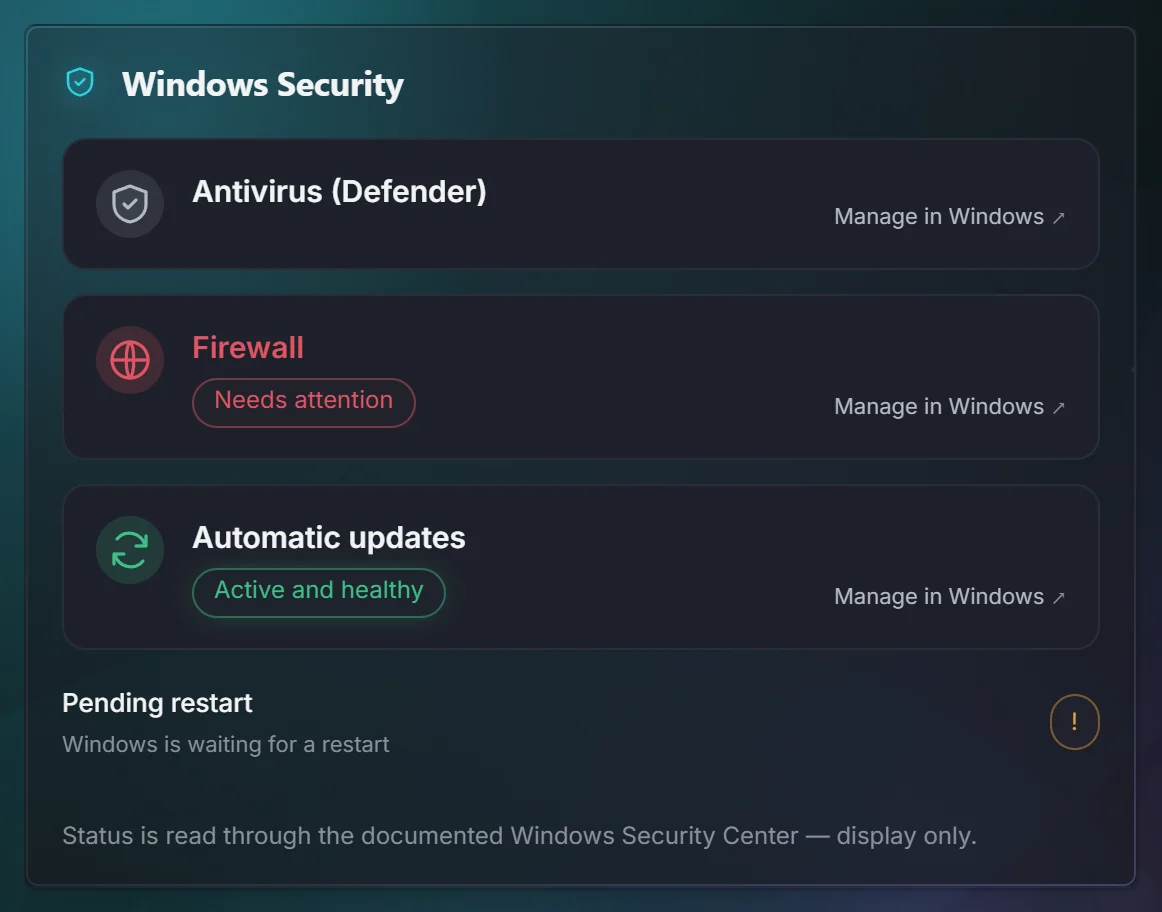
Windows Security status
FreeDefender, Firewall and Windows Update, reported plainly.
Everyday protection
FreeWhether this sign-in is an administrator, whether the approval prompt is on, whether the system drive is encrypted, and whether SmartScreen is on. Each reading says what it looked at, and a button opens the Windows page that owns it. A reading Windows will not give stays unknown.
Session signs
FreeLooks for a changed Discord program, a startup entry that reaches a Discord session or a browser profile, an extension that can read every site, and a leftover file of that kind. It does not open the session, the cookies or saved passwords, and a check it cannot run stays unknown.
Hardening read-outs
FreeSecure Boot, TPM, VBS, memory integrity, Credential Guard, LSA protection, drive encryption and Remote Desktop.
Protection switches
FreeOpens the right Windows setting for you. The app itself never flips a protection.
Privacy Shield
FreePrivacy settings in one place, plus a watch on your default browser.
While you play
Two things that stay with you during a game.
Live Arabic subtitles
Early accessEnglish speech turned into Arabic on a see-through band over the game. Recognition and translation run on your CPU, and the speech models download on first use.
Screen capture
FreeDraw a box anywhere to save or copy it.
Read my screen
ProRead or translate the text inside any part of the screen.
Prayer times
FreeCalculated on your PC for your location and method, and still shown over fullscreen games.
Qibla and Hijri date
FreeQibla from the sun, no compass needed, and the Hijri date shown as calculated.
Hadith, dhikr and tasbih
FreeSahih al-Bukhari and Sahih Muslim only, each with narrator and number, plus a tasbih counter.
Apps & the app itself
Your software, and how Q8Booster behaves.
Apps library
Free123 programs installed through winget with real icons, including drivers and vendor tools, game runtimes, antivirus and AI apps, plus 18 web tools.
App Usage
Free + ProOff until you turn it on, stored only on your PC, with a weekly view and top apps.
History across sessions is Pro
Arabic and English
FreeThe whole interface, including Help, errors, the tray panel and full right-to-left layout.
Quick Access
FreeA left click or a right click on the tray icon opens one panel: memory in use, Start or Stop Safe Boost, Start or Stop live subtitles, and a named shortcut to every page. Settings sits with Hide and Quit. The old short Windows menu is gone.
Command palette
FreeCtrl+K jumps anywhere in the app. Settings are searchable.
Offline Help
FreeThe full manual inside the app in both languages. Press F1. Includes an “Ask for a change” box.
Move to another PC
FreeExports language, appearance, game profiles and preferences. Deliberately not the licence or the undo history.
Six things it will never do
Change anything on its own
No background schedule and no side effect of opening a page. A change happens when you press the button that describes it.
Touch a game
No injection, no hooks, no kernel driver, no reading a game's memory or files.
Weaken Windows security
Defender, UAC, SmartScreen and the firewall are reported on, never switched off.
Delete without a way back
Cleanup quarantines, registry residue is exported first, and the journal keeps every original value.
Send your data anywhere
Local by default. The licence check carries a key and an anonymous device hash. Telemetry is opt-in and off.
Show a number it didn't measure
No score out of 100, no invented percentage gains, no progress bar pretending to work.
System requirements
- Windows
- Windows 10 22H2, or Windows 11 23H2 and later. 64-bit.
- Download
- About 7 MB. Installs to Program Files and asks for administrator approval, so another program cannot replace the part that runs as administrator.
- Permissions
- Actions that truly need admin rights ask at that moment, and say why.
- Internet
- Once, to activate Pro. Never needed for the free features or while you play.
- Graphics
- Any GPU that runs Windows. Visual effects can be turned down or off in Settings.
Ready when you are
Install it free. Nothing changes on your PC until you press a button.